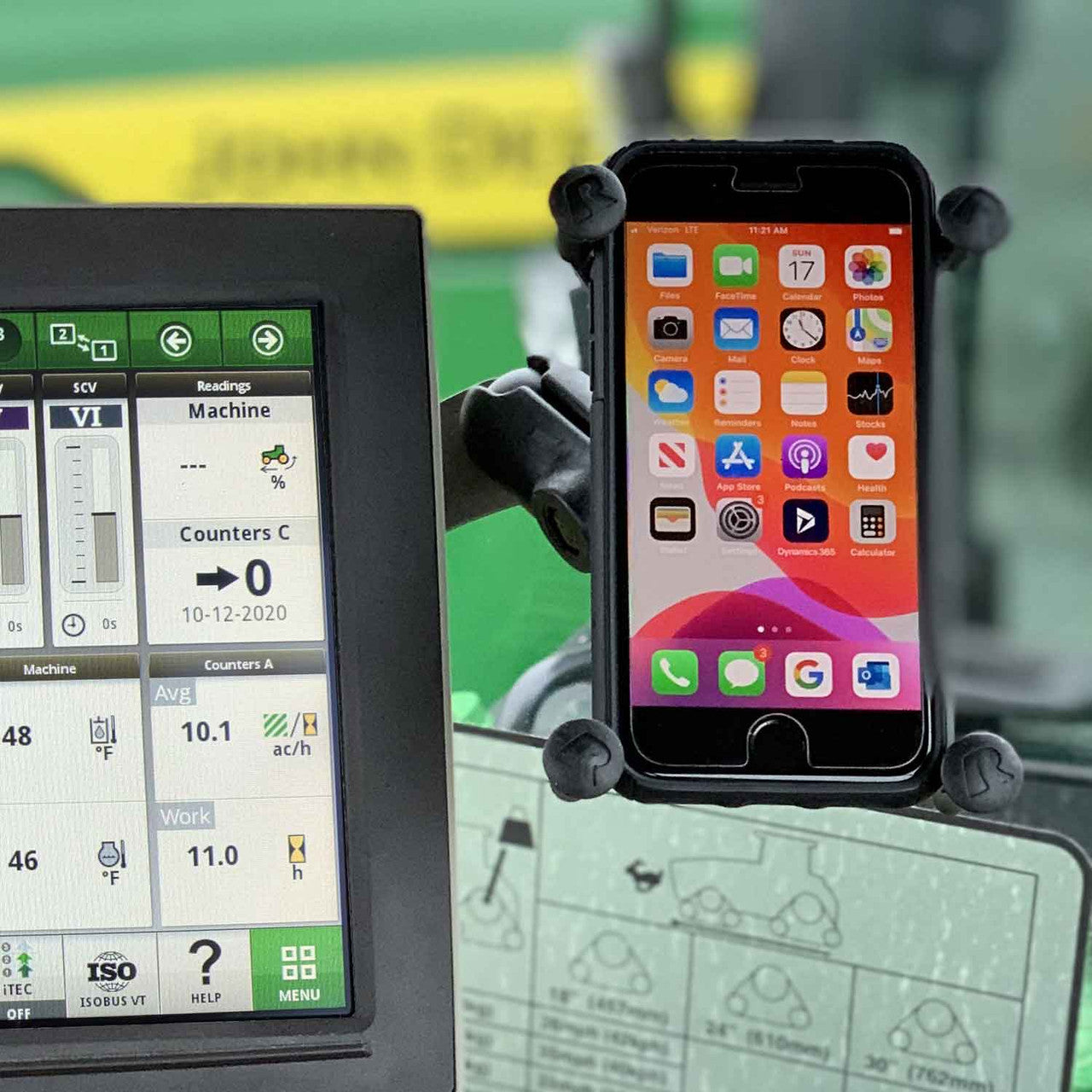
Dual-Side Phone Mounting Bracket for John Deere® Gen 4 Display
Free shipping over $150 (US only)
P3D-DA
30-Day Returns | 1-Yr Warranty | 100% Satisfaction

Couldn't load pickup availability
Need Help?
What's on our mind?
Need next day delivery? Our cutoff time is 9AM MST (We are in Montana).
Mount your phone on either side of your John Deere Gen 4 armrest display—and switch sides without removing the display or flipping the mounting bracket.
Install a 1" RAM ball on each side of this dual-side bracket, then move your existing RAM arm and phone holder from one side to the other whenever your cab setup changes.
- Switch between the left and right side in seconds
- No need to remove the display or reinstall the bracket
- No drilling—uses the existing display mounting location
- Heavy-duty 3/16" steel construction
- Longer installation bolts and spacers included
- RAM components can be selected below

This bracket can ONLY be used on the Arm Command screen on the arm rest. It WILL NOT WORK with a 4640 Monitor.
Searching for a John Deere BXE10606 or BL17017 phone holder? Those accessories do not include this dual-side metal mounting bracket. Our bracket installs between the Gen 4 display and armrest, providing a secure mounting point on both sides of the screen.
Below is the base plate and hardware.

YOU 100% NEED TO USE THE SPACES WHEN INSTALLING ON THE ARM REST.


The four bolt holes are spaces 75mm X 75mm apart.
PHONE TRAY:

More in-depth look at the Universal Phone Tray: